Think about the last time a website frustrated you. Perhaps the text was too faint to read on your phone in bright sunlight, a button was too small to tap, or a form cleared everything you had typed because of one mistake. Now imagine meeting those obstacles every day, on almost every site, because of how you see, hear, move or process information.
That is the everyday reality for many people with disabilities, and it is why web accessibility matters. It is often treated as a compliance task to tick off at the end of a project. In practice, it is simply good design: the habits that make a website usable for people with disabilities also make it clearer, faster and more pleasant for everyone else.
01Why it matters for your business
The first reason is people. A meaningful share of any audience lives with a visual, hearing, motor or cognitive impairment, and many more experience temporary or situational limits: a broken arm, an aging pair of eyes, a noisy train, a slow connection. A site that shuts these visitors out loses customers who would otherwise have bought, booked or applied.
There are practical benefits too. In many countries, laws and public procurement rules increasingly expect digital services to meet recognized accessibility standards, and expectations are moving in one direction only. Accessible pages also tend to perform better in search, because clear headings, descriptive links and text alternatives help search engines understand content in the same way they help assistive technology.
Accessibility is not a feature for a few users. It is a quality standard for all of them.
02Start with what people see
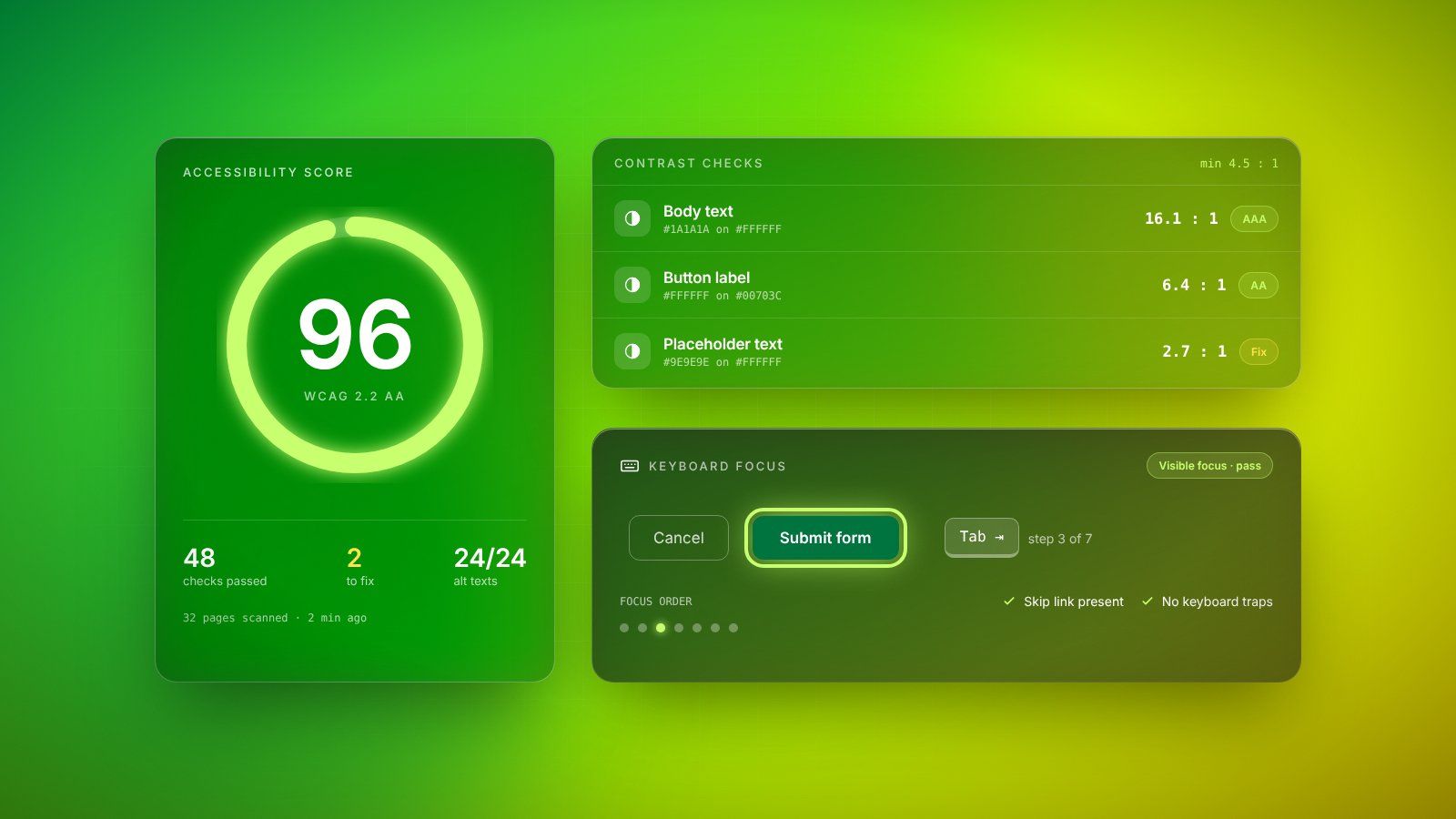
Low contrast is one of the most common problems on the web. Light grey text on a white background may look elegant in a design file, but it becomes unreadable for many visitors, especially on mobile screens outdoors. Recognized guidelines define minimum contrast ratios between text and background, and simple checkers can test them in seconds.
Color should also never be the only way to convey meaning. If a form marks errors only in red, or a chart relies purely on color to separate lines, people with color vision deficiencies will miss the message. Add a label, an icon or a pattern, and make sure text can be enlarged without the layout breaking.
03Make everything work without a mouse
Many people navigate with a keyboard, a switch device or voice commands instead of a mouse or touchscreen. For them, every link, button, menu and form field must be reachable and usable with the keyboard alone, in a logical order. A simple test reveals a lot: put the mouse aside and try to complete a key task on your site using only the Tab, Enter and arrow keys.
While you do, watch the focus indicator, the outline that shows where you are on the page. Designers sometimes remove it because it looks untidy, which leaves keyboard users completely lost. A clear, well-styled focus state is one of the cheapest and most valuable improvements you can make.
04Content and forms that explain themselves
Screen readers turn a page into speech, which means everything important needs a text equivalent and a clear structure. A handful of content habits makes a large difference:
- Alt text: describe what an image communicates in context, and leave decorative images with empty alt text so they are skipped.
- Headings: use real heading levels in a logical order, so people can scan and jump through a page.
- Link text: write links that make sense on their own, such as “download the price list” rather than “click here”.
- Form labels: give every field a visible label that stays in place, not just placeholder text that disappears.
- Error messages: explain what went wrong and how to fix it, next to the field, without clearing the rest of the form.
Plain language belongs here too. Short sentences, familiar words and clear instructions help people with cognitive disabilities, non-native speakers and busy visitors alike.
05Test with tools, then with people
Automated accessibility checkers are a good first step. They quickly catch missing alt text, low contrast, unlabeled fields and broken heading structures. But they can only detect a portion of real problems. A tool can confirm that an image has alt text; it cannot tell whether that text is actually useful.
The most reliable insights come from watching real people, including people who use assistive technology, try to complete real tasks. Even a few sessions tend to reveal issues nobody on the team had noticed. Combine this with manual checks using a keyboard and a screen reader, and you will have a much more honest picture than any score can give.
06Build it into the process
Accessibility is far cheaper to build in than to bolt on. Retrofitting an existing site often means redesigning components and rewriting content, while getting it right from the start costs little extra. The key is to make it part of everyone’s routine: designers check contrast and focus states, developers use proper structure and test with the keyboard, and content editors write alt text and clear headings as they publish.
Add accessibility checks to your definition of done, include them when reviewing new features, and revisit key pages regularly. Over time, it stops being a separate project and becomes part of what quality means. The result is a website that welcomes more people, works better for all of them and reflects well on the organization behind it.
Key takeaways
- 01Accessibility helps a large group of people directly and makes websites easier for everyone.
- 02Readable contrast, keyboard navigation, meaningful alt text and clear forms cover a large share of common problems.
- 03Automated checks are a useful start, but testing with real people finds what tools miss.
- 04Build accessibility into design, development and content routines rather than fixing it at the end.