Someone taps a link to your website. Before they read a single word, a remarkable amount of work happens in the background: a domain name is translated into an address, a secure connection is negotiated, files are requested and downloaded, code is interpreted and pixels are painted onto the screen. All of this ideally takes well under a second. When it doesn’t, visitors notice, and many of them leave.
Website speed is not only a technical metric. It shapes how trustworthy a business feels, how many visitors become customers and how prominently search engines show a page. Understanding what happens in that first second is the best way to make it faster.
01Step one: finding the server
The browser first needs to know where your site lives. It asks the domain name system to translate your address into a numeric location, then opens a connection and agrees on encryption so the exchange is secure. Each of these steps involves a round trip across the internet, and round trips are limited by physical distance.
This is why content delivery networks matter. They keep copies of your site on servers spread around the world, so a visitor in Madrid and a visitor in Mexico City both connect to a server that is relatively close to them. Shorter distances mean faster round trips before anything has even been downloaded.
02Step two: the first bytes
Once connected, the browser requests the page. How quickly the server responds depends on how much work it has to do. A page that is built fresh for every visitor, by querying databases and assembling templates, takes longer than a page that was prepared in advance and simply handed over. Pre-building pages and caching them wherever possible is one of the most effective speed improvements available.
The fastest request is the one that never has to be made, and the next fastest is the one served from a cache.
03Step three: building the page
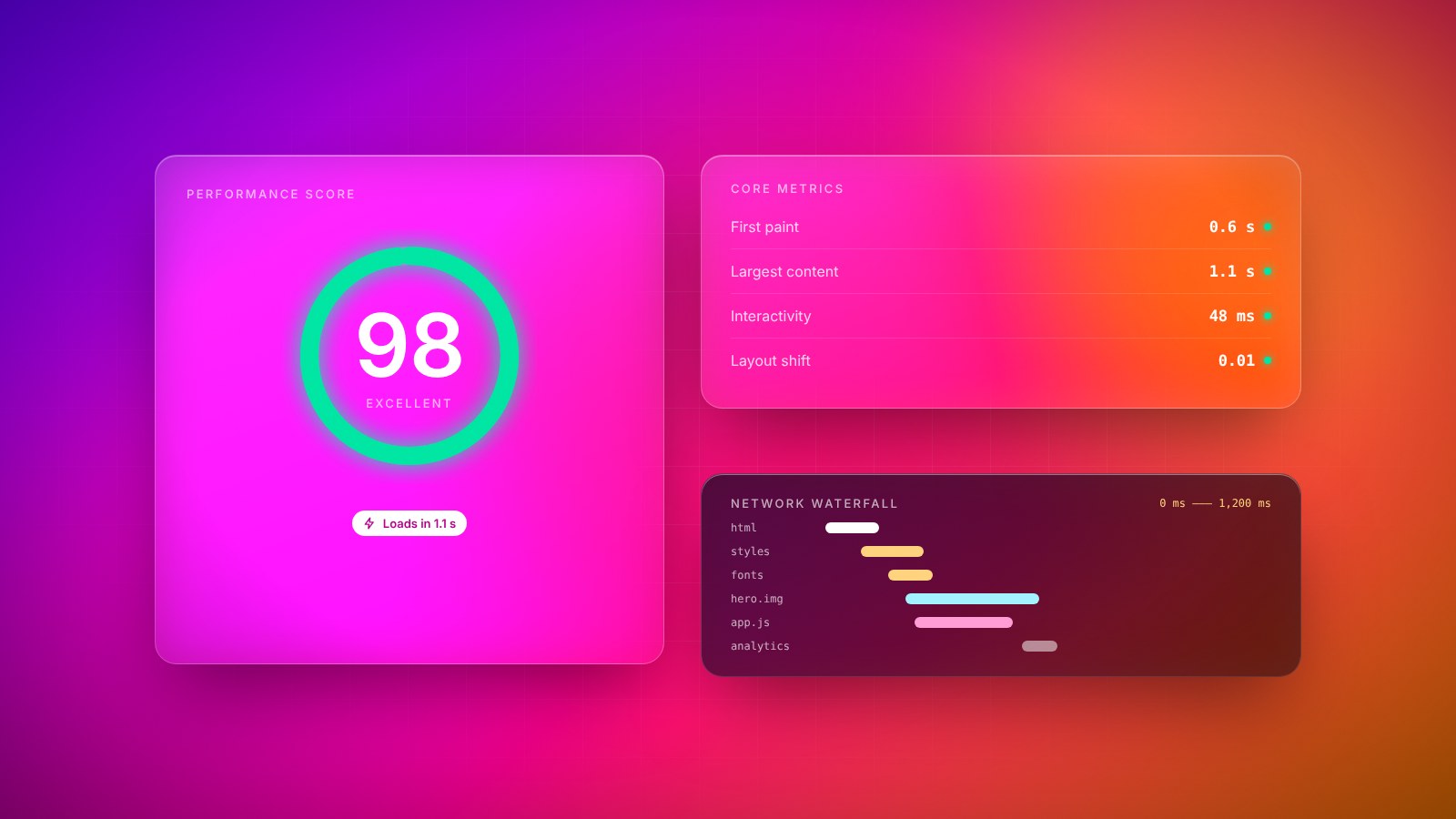
The HTML document tells the browser which other files it needs: stylesheets, scripts, fonts and images. Some of these block the page from appearing until they arrive. A large stylesheet or a script loaded in the wrong place can leave visitors staring at a blank screen even though most of the content is ready.
- Images: often the heaviest part of a page. Modern formats, correct sizing for each screen and lazy loading for images further down make a dramatic difference.
- Fonts: custom typefaces add character but also weight. Loading only the styles you use and showing a fallback font immediately avoids invisible text.
- Scripts: every analytics tag, chat widget and tracking pixel adds code that must download and run. Audit them regularly and remove what you don’t use.
- Layout shifts: elements that jump around as the page loads feel broken. Reserving space for images and ads keeps the page stable.
04Perceived speed
Users don’t experience load time as a single number. They notice when something first appears, when the main content becomes visible and when the page responds to a tap. A page that shows its headline and main image quickly feels fast, even if smaller elements continue loading afterwards.
Designers and developers can work together on this. Prioritizing what appears above the fold, showing lightweight placeholders while content loads and keeping animations smooth all improve how fast a site feels, which is ultimately what visitors judge.
05Mobile first, really
For many websites, most visitors arrive on a phone. Designing for desktop and then squeezing the result onto a small screen tends to produce heavy pages with oversized images and hidden menus full of content nobody asked for. Starting with the mobile experience forces useful discipline: what is the one thing a visitor needs to see first, and what can wait?
Mobile performance is also about the device itself. Phones have less processing power than laptops, so heavy scripts and complex animations that run smoothly on a desktop can make a phone feel sluggish. Keeping interactive code lean, avoiding work that blocks scrolling and testing animations on a mid-range device protect the experience for the majority of visitors.
Speed and accessibility often go hand in hand. Clear structure, readable text sizes, sufficient contrast and properly labelled buttons help people using assistive technologies, and they also tend to produce lighter, simpler pages that load faster for everyone.
06Speed is a habit
Websites tend to get slower over time. New features, larger images and additional scripts creep in one at a time, each one harmless on its own. The sites that stay fast are the ones that measure performance continuously and treat a slowdown as a bug to fix, not as an inevitable cost of growth.
The reward for this discipline is a site that feels effortless. Visitors may never consciously notice that your pages load quickly, but they will notice when they don’t. In the first second, speed is the first impression.
Key takeaways
- 01Visitors judge a site within moments; perceived speed matters as much as raw speed.
- 02Images, fonts and third-party scripts are the most common sources of slowness.
- 03Serve content from close to the visitor and cache everything that doesn’t change.
- 04Measure with real devices and real networks, not just a fast office connection.